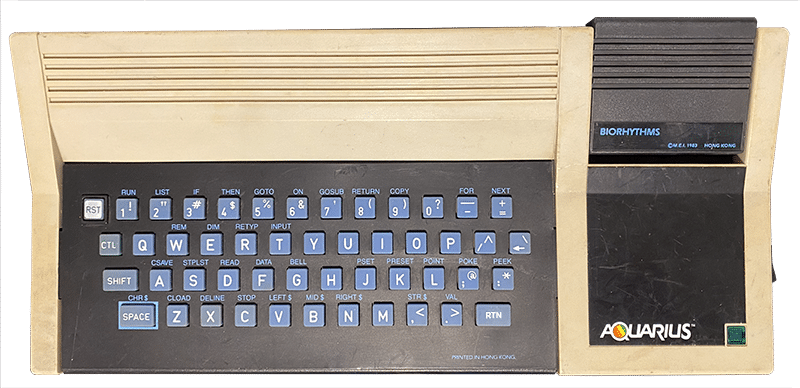
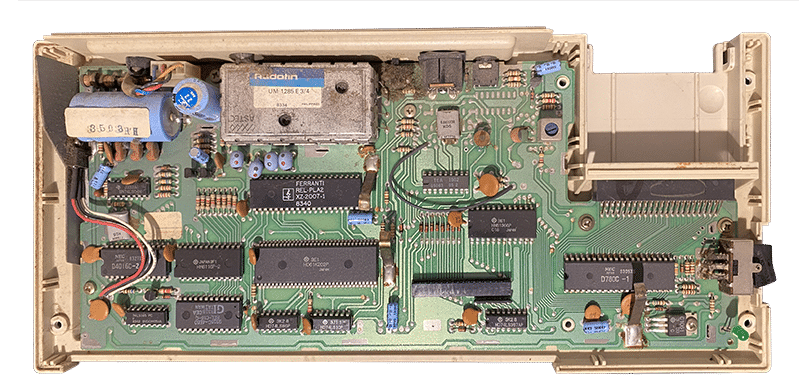
The Mattel Aquarius is a small home computer released in the United States in June 1983 for 160 dollars. It was sold by Mattel Electronics, the Mattel division behind the Intellivision console, but the design was not Mattel's own: it came from Radofin, the Hong Kong company that built the Intellivision consoles for Mattel.
A very short story
Announced in 1982, the Aquarius reached the shops in the middle of the 1983 video game crash, while the Commodore VIC-20, Commodore 64 and Texas Instruments TI-99/4A were fighting a ruthless price war. With 4 KB of RAM, a rubber keyboard and character-only graphics, the comparison was harsh: to use it seriously you had to buy expansions and accessories separately, and in the end the bill was higher than the competition's.
Sales were poor and after about four months, in October 1983, Mattel stopped production and paid Radofin to take back the marketing rights. The remaining stock was sold by Radofin and other distributors. COMPUTE! magazine wrote that the Aquarius had one of the shortest lifespans of any computer, and even a Mattel programmer, Bob Del Principe, mocked it with the slogan "Aquarius, a system for the seventies".
Inside the machine
- Zilog Z80 CPU at 3.5 MHz, the same as the ZX Spectrum
- 8 KB of ROM with a cut-down version of Microsoft BASIC
- 4 KB of RAM, expandable up to 36 KB with the 4, 16 and 32 KB memory cartridges
- 40-column by 24-row text with 8×8 characters and 16 colours generated by the TEA1002 chip
- Graphics only through semigraphic characters (80×72 blocks): there is no bitmap mode with single pixels
- 1-voice sound, which becomes 4 with the Mini Expander
- 48-key rubber keyboard
- External power supply with a fixed cable that provides 8.8 V, 16 V and -19 V
Connections
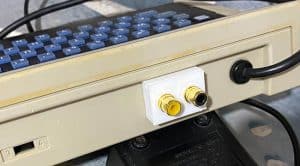
- TV output in RF only (no composite video: that is why the composite mod in the articles below is worth doing)
- 44-pin cartridge and expansion connector (22+22)
- Cassette recorder port with a 5-pin DIN connector, wired differently from the TRS-80
- Printer port on a 3.5 mm stereo jack: RS-232-level serial, output only, fixed at 1200 baud
Peripherals
The most important was the Mini Expander: it added two cartridge slots (for example a game and a memory expansion together), two controllers similar to the Intellivision ones, since the computer has no joystick ports, and the 3-voice General Instrument AY-3-8910 sound chip. The range was completed by the cassette recorder, a 40-column thermal printer, the RAM cartridges and, in 1984, a 4-colour plotter and a 300-baud cartridge modem. A Quick Disk drive was also planned, but it never got past the prototype stage.
Software
Of the 32 titles announced by Mattel, about 21 were released. Many games were Intellivision conversions, such as Astrosmash, Night Stalker, Utopia and Tron Deadly Discs, often less successful than the originals because of the character graphics. Alongside the games there were programs for learning to code and small productivity tools, plus the Extended BASIC cartridge, which added the commands missing from the built-in BASIC.
The Aquarius II
Mattel had already announced a successor, the Aquarius II, with a mechanical keyboard, Extended BASIC and 16 KB of extra memory. After Mattel pulled out, Radofin sold it in small numbers, in Europe too: the British magazine Your Computer reviewed it in April 1984 at 80 pounds and called it a big step forward over the first model. It was not a success either, and today it is even rarer than the original.
The Aquarius today
Precisely because so few were made, finding a working Aquarius at a reasonable price is not easy today. There is, however, a small and very active community around the machine: homebrew games are still being released, new expansions have been designed such as the 32 KB cartridge, the Micro Expander and the Aquarius MX, and some people bring it back to life on FPGA. If you want to try it without owning one, you can use an emulator: