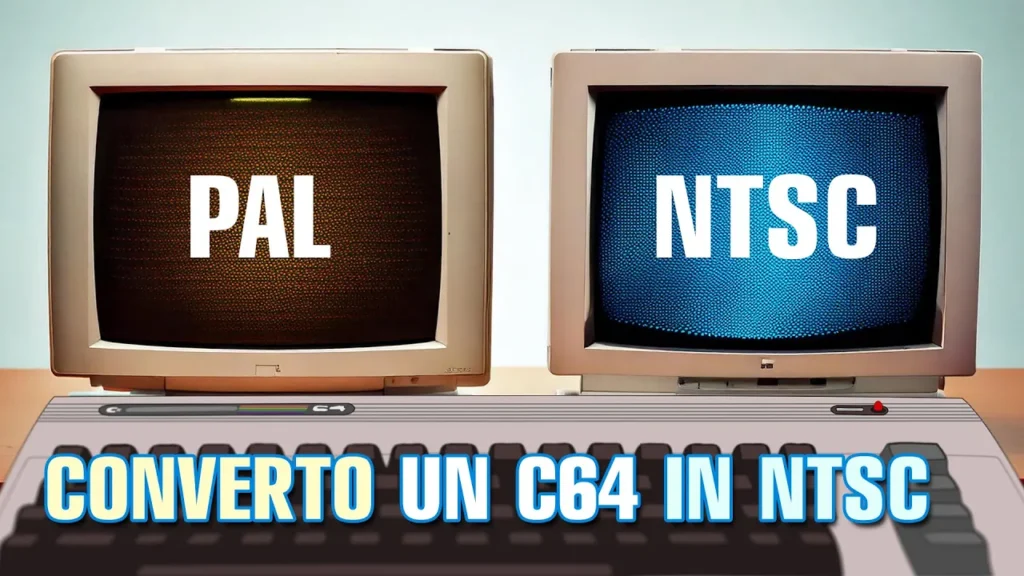
Let’s see how to convert the C64 from PAL to NTSC in 3 simple steps, and vice versa!
Differences
The differences between the two formats are mainly in the number of lines and the refresh rate. In the PAL (Phase Alternating Line) version we have 625 lines with a 50Hz refresh rate and 25 frames per second. In NTSC (National Television System Committee) there are 525 lines, a 60Hz refresh rate and 29.97 frames per second.
That’s just for the video side, but the audio on this computer will also differ: depending on the different clock, the SID will play faster or slower, as it has no adjustment system based on the type of system in use.
Step 1
The C64 uses a standard board for both PAL/NTSC versions; the differences come down to a couple of components and one or two jumpers on the PCB.
Let’s start from the heart of the computer: the clock. The PAL C64 has a 17.734475MHz crystal, while the NTSC one is 14.31818MHz. So the first thing to do is replace the crystal with the one suited to the system we want to use.
Step 2
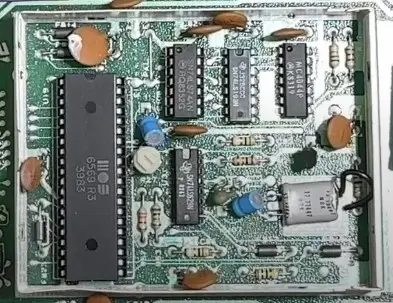
After replacing the crystal, you need to change the PCB configuration by moving a jumper, usually near the VIC-II or in the crystal area. It should be marked PAL and NTSC. In the picture above you can see the jumper on PAL; this has to be desoldered and moved to the other two dashed pads. On some (older) motherboard versions you may find a jumper made on the PCB itself; in that case it has to be cut and the new one added on the other pad. Never connect both jumpers!
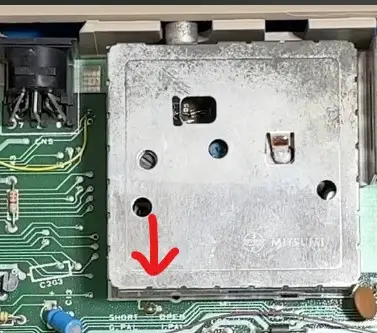
Again on some versions, there’s another jumper to make or remove, which sets the frequency on the modulator.
In the version shown alongside, there’s a solder bridge to make between two pads to get the PAL signal on the modulator; if we remove it, the signal will come out for the NTSC system.
Step 3
Here’s the last step: changing the VIC-II. As we’ve seen, the frequencies are now different, but our VIC-II, which handles the video signal, can’t be configured for the two signals via a pin. It has to be replaced with its NTSC version, or the other way round if you’re converting it to PAL. Below are the VIC-II versions we can find.
WARNING: You cannot replace a 65xx version with an 85xx or vice versa! The new MOS 85xx series used in the new C64c model works at a lower voltage, as with the SID. These chips cannot be installed in older boards without appropriate modifications.
Done
Now you can enjoy your C64 in whichever format you prefer, NTSC or PAL. The first thing that strikes you is the different shape of our C64’s screen. Then, as soon as we try a few games, we’ll immediately hear the difference: in NTSC the music will be faster, while in the PAL version it will play more slowly. Watch this video to see and hear the differences.